

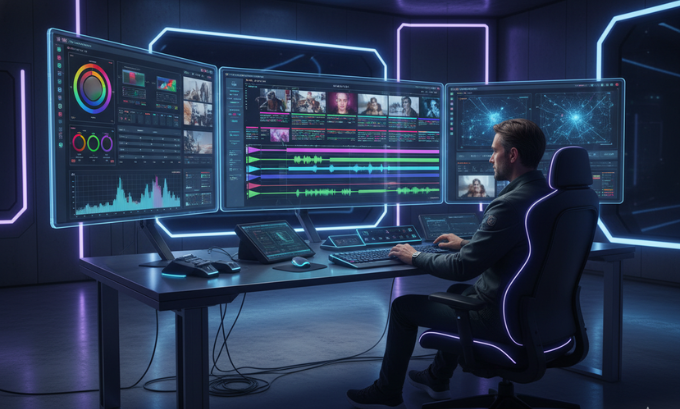
Video editing today is more than just cutting clips—it’s about storytelling, pacing, visual style, and audio-visual harmony. As the demand for high-quality video content continues to grow, learning essential video editing tips becomes crucial for creators at all levels. Beginners can start with user-friendly editing apps to grasp the basics, while professionals explore advanced, AI-powered platforms like Descript and its assistant Underlord (AI video tools guide) to streamline workflows, automate repetitive tasks, and enhance creative output. Applying these video editing tips can dramatically improve the quality, engagement, and professionalism of your content across YouTube, social media, or corporate projects.
Mastering these skills improves content quality for YouTube, social media, or corporate projects.
Why Video Editing Is Essential in 2025
Video content accounts for most online engagement, and algorithms favor well-edited clips. AI tools like Meta AI even suggest edits optimized for social media trends (Meta AI guide).
Strong editing skills create career opportunities in freelance production, advertising, and content strategy (AI engineer courses).
Must-Know Video Editing Techniques
1. Efficient Footage Organization
Keeping clips sorted by scene, angle, or theme in Descript saves time and streamlines the workflow.
2. Match Cuts for Seamless Flow
Match cuts maintain visual continuity between shots, making the story easier to follow.
3. Consistent Room Tone for Audio
Uniform room tone is critical for clear, professional sound. Devices like Zoom H1n capture high-quality audio (audio recording tips).
4. Enhance Content With Stock Footage
Stock footage adds depth, fills gaps, and improves production value, especially in B-roll.
5. Harness AI for Editing Efficiency
AI assistants like Underlord automate captions, transitions, and audio corrections, freeing time for creative work (AI tools guide).
6. Professional Color Grading
Use DaVinci Resolve for cinematic color adjustments, or Final Cut Pro X for Apple-based workflows.
7. Optimize Video Pacing
Trim unnecessary clips and maintain rhythm to keep viewers engaged.
8. Audio-Visual Balance
Mix dialogue, music, and ambient sound effectively in Adobe Premiere Pro for professional-quality results.
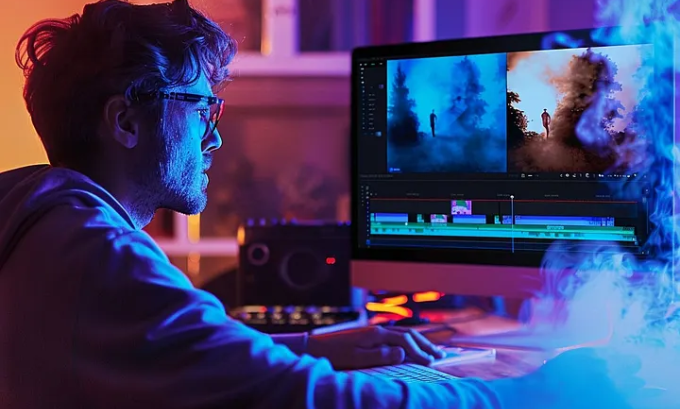
Best Video Editing Software in 2025
| Software | Purpose | Price | AI Features | Platform |
|---|---|---|---|---|
| Adobe Premiere Pro | Professional editing | Paid | Basic AI | Windows, Mac |
| DaVinci Resolve | Color grading & editing | Free/Paid | Limited AI | Windows, Mac, Linux |
| Final Cut Pro X | Mac professional editing | Paid | Some AI tools | Mac |
| Descript | Audio + video editing | Free/Paid | Underlord AI | Windows, Mac |
| iMovie | Beginner edits | Free | Minimal AI | Mac, iOS |
| Blender | 3D + video editing | Free | Limited | Windows, Mac, Linux |
For beginners, this software guide is ideal.
AI in Video Editing: Transforming the Workflow
AI tools change how videos are made:
- Descript & Underlord streamline transitions, captions, and audio fixes.
- Meta AI predicts trending video styles for social media (Meta AI guide).
- Automation saves hours of repetitive tasks while boosting creativity (AI editing tips).
Practical Editing Workflow Example
- Organize clips in Descript
- Rough cut in Adobe Premiere Pro
- Color grade in DaVinci Resolve
- Add captions, room tone, and stock footage via AI (AI workflow)
- Review pacing and finalize audio
Software Strengths and Weaknesses
- Adobe Premiere Pro: Powerful, steep learning curve
- DaVinci Resolve: Excellent color grading, resource-heavy
- Final Cut Pro X: Fast on Mac, Mac-only
- Descript: AI-assisted, great for collaboration, limited advanced effects
- iMovie: Beginner-friendly, limited professional options
Video Editing Career Paths in 2025
- Freelance video creator
- Social media video editor
- Corporate video production
- AI-assisted editing projects (AI engineer jobs)
Combining video editing with coding (best coding courses) or marketing increases employability.
FAQs
1. Which software is best for beginners?
iMovie, Blender, and Descript (beginner guide)
2. Can AI replace editors?
No, AI assists but cannot replicate human creativity (AI insights)
3. How to record clean audio?
Use Zoom H1n and maintain consistent room tone.
4. Which software is ideal for color grading?
DaVinci Resolve offers professional color correction.
5. Are free tools sufficient?
Yes, Blender and iMovie are beginner-friendly.
6. What is a match cut?
A cut linking visually similar shots for smooth flow.
7. Where to find stock footage?
Many platforms provide royalty-free clips to enhance your edits.
Conclusion
Mastering video editing in 2025 requires creativity, technical skills, and AI integration. Focus on match cuts, room tone, and AI-assisted workflows to create professional videos.
For more guidance on video editing tools, AI workflows, and beginner tutorials, explore this site and start your journey today.
