

Once a complex and time-consuming process, video editing is being completely transformed by artificial intelligence. Today, AI video editing automates the most tedious tasks, freeing creators to focus on storytelling and creativity. This guide explores the best generative AI tools that are making video production faster, smarter, and more accessible for everyone. If you want to explore the latest in AI and technology, you can find more information about how to work with artificial intelligence and its impact on various industries.
AI is no longer just a buzzword; it’s a practical solution changing how we approach content creation and marketing. From automating cuts and enhancing audio to generating entire scenes from text, these tools are indispensable for modern creators. Whether you’re a YouTuber, a social media manager, or a professional filmmaker, understanding these platforms is key to staying competitive. For those interested in broader tech trends, learning about the upcoming Apple iPhone 17 Pro Max shows how AI is integrated into everyday devices.
The Best AI Video Editing Tools for Modern Creators
The right AI video editing tool can revolutionize your workflow. These platforms offer a range of AI-powered video editing features, from simple cuts to complex scene generation. Here’s a breakdown of the top contenders in 2024 and what makes each of them unique.
Personal Experience with AI Video Editing
As a content creator managing multiple YouTube channels, my workflow used to be a bottleneck. I spent countless hours manually cutting out silences, searching for B-roll, and color-grading footage. My first real “aha” moment with AI video editing came when I tried Gling AI. I uploaded a 45-minute raw recording of a talking-head video. In under 10 minutes, the tool had trimmed all the awkward pauses and filler words, saving me at least two hours of tedious work.
This experience prompted me to explore other generative AI tools. I integrated Opus Clip to repurpose my long-form content into engaging shorts for TikTok and Reels. Its AI Virality Score became a surprisingly accurate predictor of what would perform well, helping me grow my social channels with minimal extra effort. Now, my tech stack also includes tools like Descript for its powerful transcription-based editing and Filmora AI for creative effects, which has cut my total production time by more than 60%. These tools aren’t just novelties; they are essential for efficient and effective content creation and marketing. For those interested in the broader landscape of technology, exploring topics like Tech Mahindra University can provide insights into how education is adapting to these new tools.
1. Filmora AI: The All-in-One Creative Suite
Filmora AI has established itself as a leading AI-powered video editor, blending user-friendly design with powerful features. It’s an excellent choice for both beginners and experienced editors who want to streamline their creative process.

What I Like / Strengths:
- AI Text-Based Editing: Edit your video by simply editing the text transcript. This is incredibly intuitive and saves a massive amount of time.
- AI Frame Interpolation: Create super-smooth slow-motion effects by generating new frames, a feature once reserved for high-end software.
- AI Smart Masking: Easily mask moving objects with a single click, which is perfect for creating complex visual effects without manual frame-by-frame work.
- Rich Asset Library: Access a vast library of stock media, effects, and music templates directly within the editor.
Areas for Improvement:
- Performance on Older Hardware: Some of the more advanced AI features can be resource-intensive, potentially slowing down older computers.
- Subscription Model: While powerful, the most advanced features are locked behind the subscription plan.
2. D-ID Studio: Lifelike AI Avatars and Scenes
D-ID Studio specializes in creating stunningly realistic digital avatars from a single image. It uses generative AI to animate faces and sync them with audio, making it a go-to tool for creating engaging, avatar-led videos without a camera.
What I Like / Strengths:
- Photorealistic Avatars: The quality of the AI-generated avatars is top-notch, allowing you to create professional-looking videos with minimal resources.
- Multilingual Support: Generate voiceovers in over 100 languages, making it easy to create content for a global audience.
- API Integration: Developers can integrate D-ID’s technology into their own applications and workflows.
Areas for Improvement:
- Credit-Based System: The pricing is based on credits, which can be confusing to manage and may become costly for high-volume users.
- Limited Customization: While the avatars are realistic, customization options for expressions and gestures are still developing.
3. Gling AI: The YouTuber’s Best Friend
Gling AI is designed specifically for video creators, particularly YouTubers. Its main purpose is to automate the most time-consuming parts of editing talking-head videos, like cutting out silences and bad takes.
What I Like / Strengths:
- AI Text-Based Trimmer: The tool automatically finds and cuts silences, hesitations, and mistakes from your video based on the transcript. It’s a huge time-saver.
- AI Title Generator: It suggests catchy, SEO-friendly titles for your YouTube videos based on the content.
- User-Friendly Interface: The platform is incredibly simple to use. You upload your video, and Gling does the rest.
Areas for Improvement:
- Niche Focus: It’s primarily designed for dialogue-heavy videos and may not be as useful for more cinematic or action-oriented content.
- Limited Creative Tools: Gling is an automation tool, not a full-featured video editor. You’ll need to export the timeline to another program for color grading or adding effects.
4. Invideo AI: Generate Videos from a Simple Prompt
Invideo AI takes a revolutionary approach by allowing you to generate a complete video from a single text prompt. It writes a script, finds stock footage, creates a voiceover, and pieces it all together, making it one of the most powerful generative AI tools available.
What I Like / Strengths:
- AI Faceless Video Generator: Create compelling videos without needing to show a face, perfect for niche YouTube channels or corporate explainers.
- AI Voiceover Generator: Choose from a range of natural-sounding AI voices to narrate your video.
- From Prompt to Video in Minutes: The speed of creation is astonishing. You can have a shareable video ready in a fraction of the time it would take with traditional methods.
Areas for Improvement:
- Stock Media Repetition: Since it relies on stock footage libraries, you may see some repetitive or generic clips.
- Less Control: The high level of automation means you have less granular control over the final edit compared to traditional software.
5. Descript: Where Podcasting Meets Video Editing
Descript started as an audio editing tool but has evolved into a full-fledged video editor built around its powerful transcription engine. It offers a unique blend of generative AI and traditional editing features.
What I Like / Strengths:
- Transcription-Based Editing: Like Filmora, you can edit your video by editing the text. Descript’s engine is one of the most accurate available.
- AI Underlord (Overdub): Create a realistic clone of your own voice, allowing you to fix audio mistakes or add new words simply by typing them.
- Regenerative AI: The “Studio Sound” feature removes background noise and enhances voice quality with a single click, making any recording sound professional.
Areas for Improvement:
- Learning Curve: The workflow is different from traditional video editors, so it can take some time to get used to.
- Collaboration Features: While it has team features, real-time collaboration can sometimes be buggy.
6. Opus Clip: Master of the Viral Short Clip
Opus Clip is an AI tool designed for one specific purpose: turning long videos into short, viral clips for platforms like TikTok, Instagram Reels, and YouTube Shorts. It excels at identifying the most engaging moments in your content.
What I Like / Strengths:
- AI Curation: The tool automatically identifies the most interesting hooks and highlights from a long video and edits them into multiple shorter clips.
- AI Virality Score™: Each generated clip is given a score predicting its potential to go viral, helping you prioritize what to post.
- AI B-roll: It automatically adds relevant B-roll to your clips to increase visual engagement, a feature that saves an enormous amount of time.
Areas for Improvement:
- Limited Use Case: It’s hyper-focused on repurposing content and doesn’t function as a primary video editor.
- Caption Accuracy: The auto-generated captions are good but sometimes require manual correction for slang or technical terms.
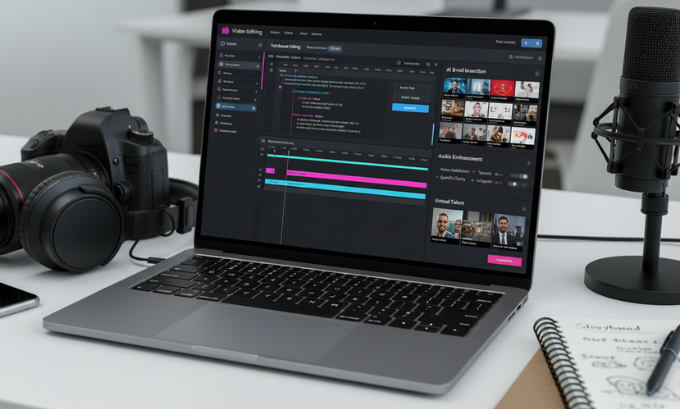
Comparison of Top AI Video Editing Tools
| Tool | Best For | Key AI Feature | Pricing Model |
|---|---|---|---|
| Filmora AI | All-in-one creative editing | AI Text-Based Editing | Subscription |
| D-ID Studio | Creating AI avatars | Photorealistic Avatar Animation | Credit-Based |
| Gling AI | YouTubers / Dialogue-heavy content | AI Text-Based Trimmer | Subscription |
| Invideo AI | Prompt-based video generation | AI Faceless Video Generator | Subscription |
| Descript | Transcription-based editing | AI Underlord (Voice Cloning) | Subscription |
| Opus Clip | Repurposing long-form content | AI Virality Score™ | Subscription |
For more in-depth reviews and comparisons of different software, you might find articles on the best video editing software for beginners useful.
AI and its Role in Content Creation and Marketing
The rise of AI video editing is a game-changer for content creation and marketing. Businesses can now produce high-quality video content at a scale and speed that was previously unimaginable. AI tools democratize video production, allowing small businesses and solo creators to compete with larger organizations. They can create promotional videos, tutorials, and social media content efficiently, helping them engage their audience and grow their brand. Understanding these tools is as crucial as knowing the latest cybersecurity trends for 2025 for any digital professional.
Frequently Asked Questions (FAQ)
1. What is AI video editing?
AI video editing uses artificial intelligence algorithms to automate and enhance parts of the video creation process. This can include tasks like trimming footage, color correction, audio enhancement, generating captions, and even creating video clips from text prompts.
2. Can AI replace human video editors?
While AI can handle many repetitive and technical tasks, it cannot replace the creativity, storytelling ability, and emotional judgment of a human editor. AI is best used as a powerful assistant that frees up editors to focus on the more creative aspects of their work.
3. What is the best AI video editing software for beginners?
For beginners, Filmora AI is a great starting point because it combines a user-friendly interface with powerful AI features. Invideo AI is also an excellent option for those who want to create videos quickly from text prompts without much editing experience.
4. Are generative AI tools for video free?
Most high-quality generative AI tools operate on a subscription or credit-based model. While some may offer limited free trials, the most powerful features typically require a paid plan.
5. How do AI tools help with content creation and marketing?
AI tools significantly speed up the video production workflow, allowing businesses to create more content faster. They help ensure brand consistency, generate ideas, and repurpose content for different platforms, maximizing reach and engagement. This is a key part of modern digital marketing.
6. What are AI-powered video editing features?
Common features include auto-reframing for different aspect ratios, automatic color correction and grading, background noise removal, motion tracking, and generating B-roll footage based on the video’s context.
7. Can I create a video just from text?
Yes, platforms like Invideo AI are designed to do exactly that. You provide a text prompt, and the AI generates a script, finds relevant media, adds a voiceover, and edits it all into a finished video. This is becoming increasingly popular in the realm of tech news sites.
The Future of AI in Video Creation
AI video editing is no longer a futuristic concept—it’s a present-day reality that is reshaping the landscape of content creation. The tools highlighted in this guide, from Filmora AI‘s creative suite to Opus Clip‘s viral content engine, offer powerful solutions for creators and marketers looking to work smarter, not harder. By embracing these generative AI tools, you can streamline your workflow, enhance your creativity, and produce professional-quality videos that captivate your audience. The next step is to start experimenting with these platforms and discover how they can transform your own video production process.
Author Bio
Alex Chen is a veteran content creator and digital strategist with over 10 years of experience in the tech industry. Specializing in video marketing and AI-driven content, Alex runs a popular YouTube channel that demystifies new technologies for creators and business owners. He is passionate about testing the latest tools to find practical solutions for modern workflows.
References
- Johnson, S. (2024). The State of AI in Content Creation. TechCrunch.
- Patel, N. (2024). “How AI is Revolutionizing Video Marketing.” NeilPatel.com.
- Individual websites of Filmora, D-ID, Gling, Invideo, Descript, and Opus Clip.
- If you want to know more about the latest AI trends and how they are shaping the future, you may visit sites like TechBullion. This platform provides in-depth articles and analyses on emerging technologies, offering valuable insights for both professionals and enthusiasts.
