

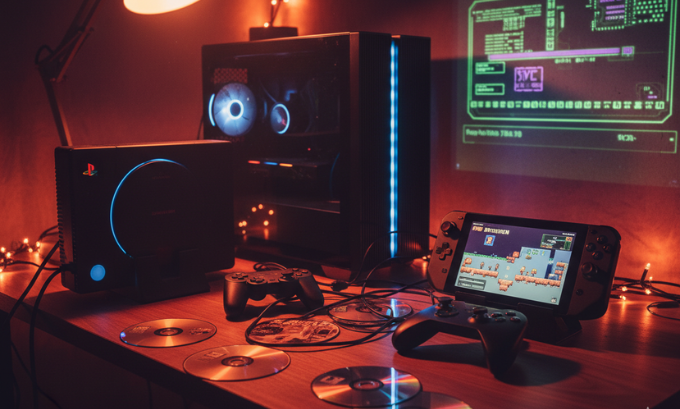
The desire to revisit the golden era of the PlayStation 2 is a powerful one. Its library is a treasure chest of gaming history, but unlocking it on modern hardware like a PC or Steam Deck requires a key: the PS2 BIOS download. This step can seem like a daunting technical hurdle, but it’s the single most important part of setting up a legal and stable emulation experience.
This guide will serve as your definitive roadmap. We’ll cut through the confusion, explain what a PCSX2 BIOS really is, and show you why taking shortcuts is a bad idea. Forget the murky corners of the internet; let’s walk through the proper, safe, and surprisingly satisfying process of getting the PCSX2 emulator running perfectly.
What’s the Real Story with the PS2 BIOS?
At its core, the BIOS is the PlayStation 2‘s soul. It’s the foundational software that lives on the console’s motherboard, giving it instructions on how to start up, manage its components, and launch games. The brilliant PCSX2 emulator can replicate the PS2’s hardware, but without that original instruction set, it’s just an engine with no spark.
A PCSX2 BIOS is the copyrighted system firmware from an authentic PlayStation 2 console. It is absolutely essential for the emulator to function. For legal and technical reasons, you must extract—or “dump”—it from a console you personally own.
The Big Red Flag: Why You Shouldn’t Just Download It
A quick web search for ps2 bios download will unleash a flood of websites offering a simple, one-click solution. It’s tempting, but this path is fraught with peril. The BIOS is Sony’s intellectual property, and sharing it online constitutes copyright infringement. This is why the developers of PCSX2 are so strict about not including it with their software—they have to be.
But the legal argument is just the beginning. The practical dangers are far more immediate. Downloaded BIOS files are notorious for being:
- A Security Threat: Shady websites often bundle malware, spyware, or other malicious code with popular files.
- Corrupted & Unreliable: Many of these files are incomplete or damaged. This leads to inexplicable crashes, graphical glitches, and save data corruption that can wipe out hours of progress.
- Inauthentic Fakes: Some are modified versions that cause unpredictable behavior, turning your retro gaming session into a frustrating exercise in troubleshooting.
Relying on a downloaded BIOS is like building a house on a foundation of sand. It might stand for a little while, but it’s bound to collapse. The only way to guarantee a safe, stable, and authentic experience is to source the files yourself, directly from the original hardware.
The Right Way Forward: How to Legally Dump Your BIOS
So if downloading is out, what’s the correct procedure? You need to perform a “dump,” which is just a community term for extracting the BIOS files from your own PlayStation 2. While it sounds like something out of a hacker movie, the process has been streamlined over the years with user-friendly tools.
To legally obtain your BIOS, you need a physical PlayStation 2 console, a standard USB flash drive, and a homebrew application like BIOS Dumper. By running this tool on your console, you can copy the necessary system files to the USB drive and then transfer them to your computer for PCSX2.
If you’re looking to enhance your retro gaming experience even further, TokyoMart.Store offers a wide selection of classic gaming accessories and collectibles to complete your setup.
Your Definitive Path to Legal Emulation
Let’s break this down into a clear, step-by-step process.
Step 1: Assemble Your Gear
Before you begin, you will need:
- A working PlayStation 2 console (any model, from the original “fat” to the later slim versions, will work).
- A method to run homebrew software. The most common and user-friendly option is a Free McBoot memory card, which can be purchased pre-configured online.
- A basic USB flash drive, formatted to the FAT32 file system.
- The BIOS Dumper application. You can find this on trusted emulation community forums. You will often use a file browser like uLaunchELF to run it.
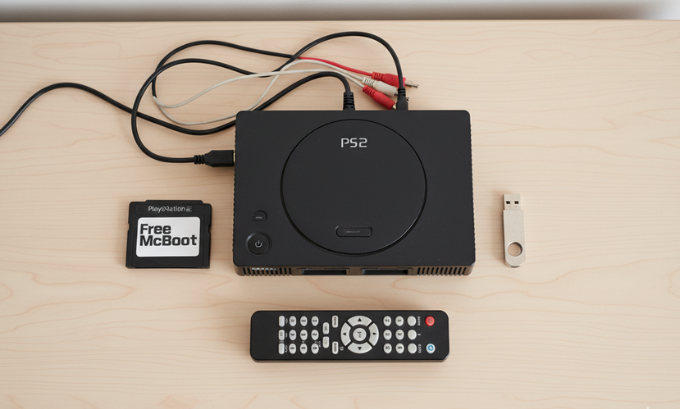
Step 2: The Extraction Mission
- Copy the BIOS Dumper software onto your USB drive.
- Insert both the Free McBoot memory card and your USB drive into the PlayStation 2.
- Power on the console. The Free McBoot menu should appear. From there, launch the uLaunchELF application, which acts as a file explorer.
- Within uLaunchELF, navigate to your USB drive (usually labeled “mass:/”) and select the BIOS Dumper program to execute it.
- The tool will take over, automatically reading the necessary files from the console’s internal hardware and saving them to your USB drive. The entire process is surprisingly quick.
- Once it’s finished, you’ll have a set of new files on your USB stick. These are your 100% legal and authentic BIOS files.
If you want to learn more about PS2 BIOS download, feel free to visit these websites gogonihon.jp.net, mumbaitimes.net, mindjournal.co or bangalorenews.net
Step 3: Setting Up PCSX2
- Download the latest version of PCSX2 from its official website, pcsx2.net.
- Install the emulator. During installation, PCSX2 creates a folder structure, typically in your computer’s “Documents” folder. You need to find the
Documents\PCSX2\biossubdirectory. - Copy all the files that you just dumped from your USB drive directly into this “bios” folder.
- Launch PCSX2. A first-time setup wizard will appear to guide you through the initial configuration.
- When it asks for a BIOS, it should automatically detect the files you placed in the folder. You will see them in a list, identified by their region, such as NTSC-U (North America), PAL (Europe), or NTSC-J (Japan).
- Select the appropriate BIOS from the list (it’s best to use the one matching your console’s original region) and complete the setup.
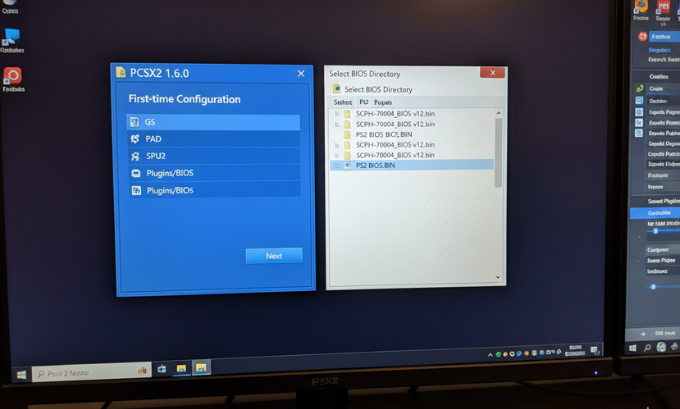
And that’s it. You have now configured PCSX2 the correct way, with a legitimate BIOS.
Step 4: A Final Check for Perfection
For ultimate peace of mind, you can perform a Checksum Verification. This process uses a simple utility to generate a unique digital signature (a hash) from your BIOS file. You can then compare this hash to known-good values listed in emulation wikis and forums. If the codes match, you have confirmation that your file is a perfect, uncorrupted copy.
A Real-World Case Study: PS2 Gaming on the Steam Deck
Let’s look at a practical example. A friend of mine, Mark, is a huge fan of classic JRPGs and recently got a Steam Deck. His dream was to turn it into the ultimate portable retro machine. He knew that a random ps2 bios download was a risky move that could compromise his new device.
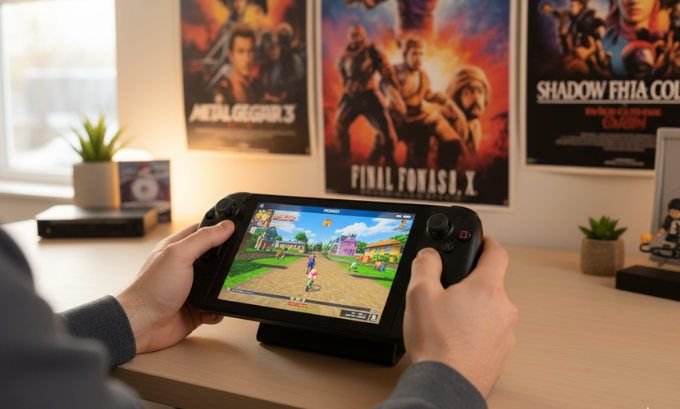
He opted for the legitimate route. He dusted off his old PS2, ordered a Free McBoot card online, and followed a guide to dump his BIOS using BIOS Dumper. The whole process took him less than an hour.
On his Steam Deck‘s Desktop Mode, he installed EmuDeck. This brilliant script automates the installation and configuration of dozens of emulators, including PCSX2, and creates a clean, organized folder structure. All Mark had to do was transfer his dumped BIOS files into the Emulation/bios directory. For a polished interface, he used Emulation Station as a front-end, which gave him a beautiful, console-like library for all his games.
The moment he launched his first game and saw the iconic PlayStation 2 startup animation, he knew the effort was worth it. His setup was legal, completely secure, and worked flawlessly from the very first try.
The Payoff: Why the Legal Method Is Simply Better
Taking the time to dump your own BIOS is about more than just following the rules. It delivers tangible benefits that a shady download can never offer.
- Absolute Security: Game with the confidence that your system is free from malware, spyware, and other digital threats.
- Rock-Solid Stability: An authentic BIOS is the cornerstone of a stable emulation experience. It eliminates an entire category of potential crashes, freezes, and graphical glitches.
- Ethical Responsibility: You are respecting the incredible work of the volunteer PCSX2 developers, who create this software for free and must operate within the bounds of copyright law.
- Deeper Knowledge: Completing the process gives you a better understanding of how emulation works, empowering you to troubleshoot issues and customize your setup more effectively.
The Downsides: What Could Be Improved
Of course, the legitimate path isn’t without its own set of challenges.
- The Hardware Hurdle: The most significant barrier to entry is the requirement of a physical PlayStation 2. If you don’t have one, sourcing one just for this purpose can feel like an extra expense.
- The Technical Barrier: For those not comfortable with terms like “homebrew” or navigating file systems, the process can seem intimidating, even with modern tools.
- The Time Factor: It is undeniably more time-consuming than clicking a download link. This can be a deterrent for users looking for an instant fix.
These issues highlight the central challenge in the emulation community: balancing the desire to preserve gaming history with the need to navigate a complex legal and ethical landscape.
Head-to-Head: The Legal Dump vs. The Risky Download
| Attribute | Legal BIOS (Self-Dumped) | Illegal BIOS (Web Download) |
|---|---|---|
| Source | Your own physical PlayStation 2. | An anonymous, untrustworthy website. |
| Legality | Fully compliant with copyright law. | A direct violation of copyright. |
| Security | 100% safe and free from malware. | A significant risk of viruses and spyware. |
| Integrity | Authentic, complete, and verifiable via Checksum Verification. | Often corrupted, incomplete, or modified. |
| Stability | The foundation for a reliable, crash-free experience. | A common source of errors, glitches, and save failures. |
| Community Standing | The only method endorsed and supported by developers. | Actively discouraged; a red flag in troubleshooting forums. |
Taking It to the Next Level: Optimizing Your PCSX2 Experience
Once your BIOS is correctly configured, you can begin to explore the powerful features that PCSX2 offers to enhance your games.
Upgrading Your Graphics
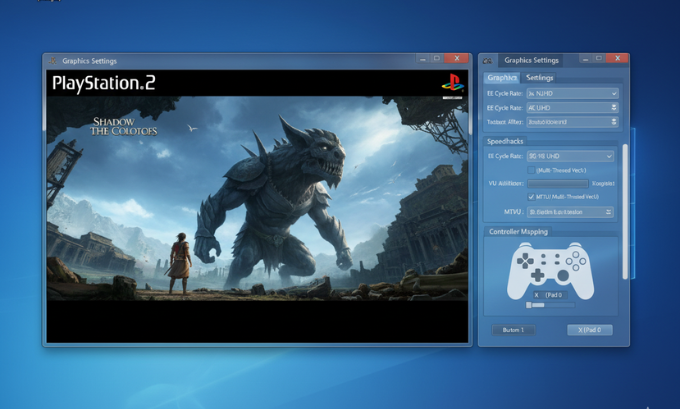
Dive into the graphics settings to push your classic games far beyond their original limitations. You can increase the internal resolution for crisp HD or even 4K visuals and apply modern texture filtering to smooth out rough edges. For those with powerful PCs, performance-enhancing Speedhacks like “MTVU” can help ensure a smooth frame rate in demanding titles. A word of advice: start with the “safe” presets for Speedhacks, as overly aggressive settings can sometimes introduce new bugs.
Modern Comforts and Conveniences
PCSX2 also injects a dose of modern gaming convenience into these retro titles:
- Save States: Save and load your game progress at any moment.
- Widescreen Hacks: Enjoy many classic 4:3 titles in a true 16:9 widescreen format.
- Custom Controller Support: Use virtually any modern controller, with full support for button remapping, pressure sensitivity, and vibration.
Need a polished website or want to build your own gaming blog? LinkLuminous.com provides powerful design and branding tools tailored for creators and tech enthusiasts alike.
The Definitive PS2 BIOS FAQ
Here are clear, straightforward answers to some of the most common questions about this topic.
1. Is there any scenario where it is legal to download a PS2 BIOS?
No. The BIOS is copyrighted software. Under current law, distributing it or downloading it from the internet is illegal. The only recognized legal method is to extract it from a console you own.
2. PCSX2 is giving me a “BIOS not found” error. What’s wrong?
This is a very common issue. It means the emulator cannot locate the necessary files. The most likely cause is that you’ve placed your BIOS files in the wrong directory. Double-check that they are in the Documents\PCSX2\bios folder and not in a subfolder.
3. Do I need a separate BIOS for games from different regions like NTSC-U, PAL, or NTSC-J?
For the best possible compatibility, yes. While a US (NTSC-U) BIOS might be able to play a game from Europe (PAL), you can encounter issues with game speed or video output. Using a BIOS that matches your game’s intended region is always the recommended approach.
4. Can a bad BIOS file from a download site actually harm my computer?
The BIOS file itself won’t, but the package it comes in very well could. It’s a common tactic for malicious actors to wrap malware inside executable files that are disguised as a ps2 bios download.
5. Will using a newer or “better” BIOS version make my games run faster?
No. The PCSX2 development team has confirmed that different BIOS revisions have no impact on emulation speed or performance. The differences are extremely minor and relate to bug fixes on the original hardware.
6. Can I use the BIOS I dumped on more than one device?
Yes. Once you have legally dumped your files, they are yours to use. You can copy them to any machine where you run PCSX2, whether it’s your desktop PC, a laptop, or a handheld like the Steam Deck.
7. What is the actual difference between NTSC and PAL?
These are legacy broadcast television standards for different parts of the world. NTSC (North America/Japan) runs at 60Hz, while PAL (Europe/Australia) runs at 50Hz. This difference can affect the native speed of some games, which is why using the correct regional BIOS and settings is important.
Conclusion
The journey to a proper ps2 bios download is not about finding a secret file; it’s about following a clear and responsible process. By choosing to legally dump the BIOS from your own PlayStation 2, you are building your entire emulation setup on a foundation of security, legality, and stability. That initial investment of time pays off with a flawless and worry-free gaming experience.
You are now fully equipped with the knowledge to configure PCSX2 correctly and unlock the vast, legendary library of the PlayStation 2. The golden age of gaming is waiting for you to rediscover it.
Author Bio
Alex Carter is a technology writer and a lifelong retro gaming enthusiast with over 15 years of hands-on experience in the emulation community. He is passionate about creating clear, accessible guides that help people preserve and enjoy gaming history in a way that is both ethical and responsible. When he isn’t tinkering with settings, Alex is probably lost in a classic RPG.
