
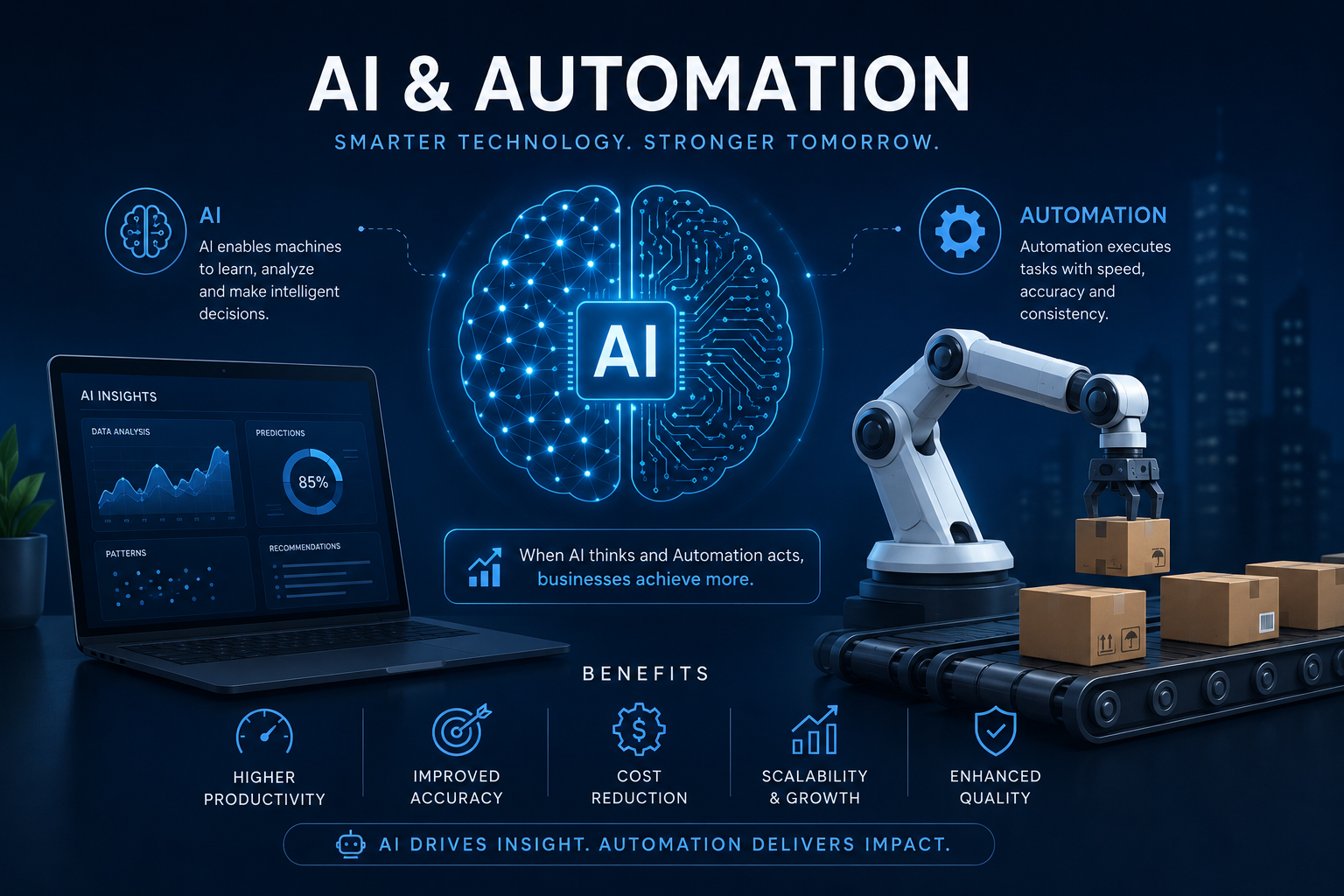
Work is fundamentally changing. For decades, businesses relied on human effort to manage every minor detail of their operations, from sorting emails to compiling massive data reports. That approach worked when the volume of information was manageable. Now, companies face an overwhelming amount of data, customer requests, and administrative tasks that threaten to slow down growth.
Artificial intelligence and automation offer a clear path forward. These technologies allow teams to step away from repetitive chores and focus on high-impact projects. Many leaders know they need to adopt these tools, yet they struggle to figure out where to start. They worry about complicated integrations, high costs, or alienating their workforce.
This guide breaks down exactly how you can successfully bring AI and automation into your daily operations. You will learn the core differences between the two, discover practical use cases across various departments, and find out how to overcome the most common hurdles during implementation.
Understanding the Difference Between AI and Automation
People often use these two terms interchangeably. However, they serve different purposes and function in distinct ways. Understanding their unique capabilities is the first step toward building a smarter workflow.
What is Business Automation?
Traditional automation follows strict rules. You set up a trigger, and the software performs a specific action. If a customer fills out a contact form on your website, an automated system can immediately send a welcome email and add that customer’s details to your database.
Automation is incredibly reliable. It does exactly what you tell it to do, every single time, without getting tired or making typing errors. It thrives in environments where tasks are highly predictable. But traditional automation has a major limitation: it cannot adapt. If a process changes or an unexpected variable appears, the automated system will break down and require human intervention to fix it.
What is Artificial Intelligence?
Artificial intelligence brings cognitive abilities to software. Instead of strictly following predefined rules, AI systems analyze data, recognize patterns, and make informed decisions. Machine learning, a subset of AI, allows these systems to improve their accuracy over time as they process more information.
An AI tool can read an incoming customer support email, determine if the customer is frustrated or happy, and suggest a personalized response. It handles nuance and unpredictability. When you combine the rigid reliability of automation with the adaptive intelligence of AI, you get a system capable of handling complex, multi-step processes from start to finish.
Why the Combination is a Game Changer
Using automation alone saves time. Using AI alone provides deep insights. Using them together transforms how a business operates at a fundamental level. This combination is often called intelligent automation.
Eliminating Repetitive Tasks
Every department has essential tasks that drain employee energy. Copying data from one spreadsheet to another, scheduling meetings, and generating weekly performance reports take up hours of valuable time. Intelligent automation can take over these workflows entirely.
Software can extract data from invoices using optical character recognition, use AI to verify the accuracy of the numbers, and automatically update your accounting system. This frees up your finance team to focus on budget forecasting and strategy rather than data entry.
Enhancing Decision-Making
Humans are limited by how much information they can process at once. AI algorithms can scan millions of data points in seconds. When you automate the reporting process, AI can highlight trends and anomalies that your team might have missed.
For example, an AI system monitoring your supply chain can detect a potential shortage of raw materials based on global weather patterns and news reports. It can then automatically alert your purchasing manager and suggest alternative suppliers, allowing your business to avoid disruptions before they happen.
Practical Ways to Implement AI and Automation Right Now
You do not need to overhaul your entire business overnight. The best approach is to start small. Look for areas where your team spends a disproportionate amount of time on manual tasks. Here are several departments where these tools make an immediate impact.
Customer Support and Chatbots
Customer expectations are higher than ever. People expect quick, accurate answers to their questions, regardless of the time of day. Staffing a support center 24/7 is incredibly expensive, but intelligent chatbots offer a cost-effective solution.
Modern chatbots use natural language processing to understand the intent behind a customer’s question. They can help shoppers track orders, process returns, or troubleshoot basic technical issues. If the AI determines that the problem is too complex, it automatically routes the conversation to a human agent, providing them with a full summary of the chat history.
Content Creation and Marketing
Marketing requires a constant stream of fresh content. Writing blog posts, drafting social media captions, and creating email newsletters demands significant creative energy. AI writing assistants can help marketers overcome writer’s block by generating outlines, suggesting headlines, and even drafting initial paragraphs based on a few basic prompts.
Automation tools then take over the distribution. You can schedule social media posts weeks in advance. Marketing automation platforms can track how individual users interact with your website and automatically send personalized follow-up emails based on their specific behavior, increasing your chances of making a sale.
Data Entry and Financial Processes
The finance department is heavily burdened by paperwork. Processing expense reports and matching invoices to purchase orders are tedious necessities. AI and automation streamline these financial workflows.
Employees can snap a photo of a receipt with their smartphone. AI software reads the receipt, categorizes the expense, and routes it to the appropriate manager for approval. Once approved, the system automatically reimburses the employee and updates the company ledger. This drastically reduces the time it takes to close the books at the end of each month.
Human Resources and Recruiting
Hiring the right talent is a time-consuming process. HR professionals often spend days reading through hundreds of resumes just to find a handful of qualified candidates. AI can accelerate this initial screening phase.
Recruiting software can scan resumes for specific skills, experiences, and keywords, instantly ranking candidates based on how well they match the job description. Automated scheduling tools then email the top candidates to set up interview times, eliminating the back-and-forth emails that usually complicate the hiring process.
Overcoming Common Challenges During Implementation
Bringing new technology into a business always presents challenges. Planning for these obstacles ensures a smoother transition and higher adoption rates among your staff.
Employee Resistance and Fear
Many workers worry that AI and automation will replace their jobs. This fear can lead to resistance, making it difficult to successfully roll out new tools.
To overcome this, leaders must communicate clearly. Frame the technology as a digital assistant rather than a replacement. Show your team how these tools will remove the boring parts of their jobs, allowing them to focus on creative, strategic work that they actually enjoy. Provide comprehensive training so employees feel confident using the new software.
Data Privacy and Security Concerns
AI systems require massive amounts of data to function properly. This raises valid concerns about how that data is stored and protected. If you feed sensitive customer information into an unsecured AI platform, you risk massive compliance violations and damage to your reputation.
Always vet your software vendors carefully. Ensure they comply with industry regulations like GDPR or HIPAA. Implement strict internal access controls so that employees only have access to the data they need to perform their specific duties.
Frequently Asked Questions
Will AI completely replace human workers?
No. While AI handles repetitive and data-heavy tasks, it lacks human empathy, creativity, and complex problem-solving abilities. The most successful businesses use AI to empower their employees, not replace them.
Is automation too expensive for a small business?
Not anymore. Cloud computing has made these tools highly accessible. Many software-as-a-service platforms offer affordable, tiered pricing plans designed specifically for small and medium-sized businesses.
How long does it take to see results?
It depends on the complexity of the process you are changing. Simple workflow automations, like routing emails, can save time immediately. More complex machine learning models may take several months to train before they provide accurate, actionable insights.
Do I need to hire a developer to use these tools?
Many modern automation platforms feature drag-and-drop interfaces that require absolutely no coding experience. Anyone who knows how to use basic office software can learn to build simple automated workflows.
Your Next Steps for a Smarter Workflow
Embracing AI and automation is a continuous process. Start by auditing your current operations. Ask your employees which tasks they find most tedious and time-consuming. Look for bottlenecks that consistently delay your projects.
Once you identify a problem area, research software solutions that specifically target that issue. Run a small pilot program with a single team to test the technology. Measure the results, gather feedback from the users, and make adjustments before rolling the software out to the rest of the company.
By taking a measured, strategic approach, you can build a highly efficient business that scales easily and keeps your workforce engaged.
